
Track and Visualize Your Study Time with Kotomil
Instead of studying blindly, recording your study sessions in Google Calendar and reviewing them with Kotomil helps you visualize your effort and improve your study time.
When you start keeping study records, great things happen:
- You’ll see your effort in graphs and numbers, and realize, “Wow, I’ve studied this much!” — boosting your motivation.
- You’ll easily spot which subjects need more focus by seeing how much time you’ve spent on each one.
- Recording a little every day makes studying feel natural — part of your daily routine.
- With records, your growth becomes visible, not just felt.
Record Your Study Sessions Easily in Google Calendar
Google Calendar is a free scheduling app available on both smartphones and computers.
Start by logging in with your Google account.
To log your study session, simply create a new event.
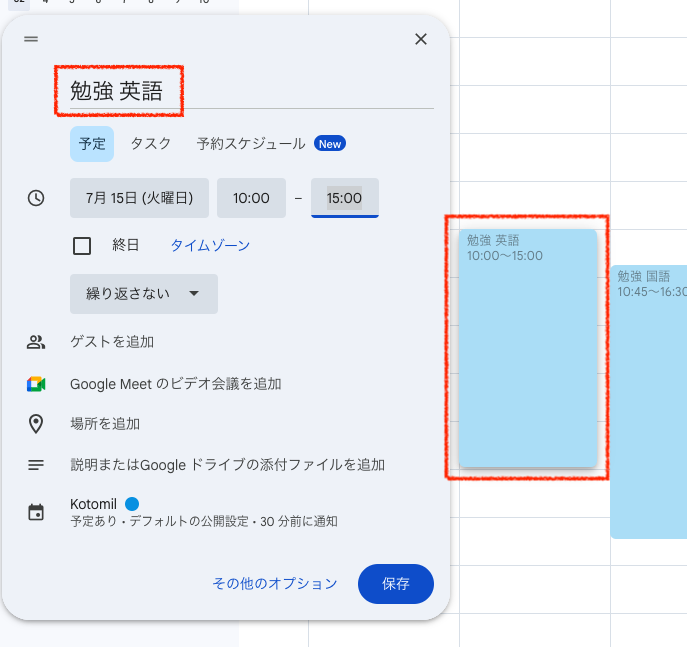
On your smartphone, tap the “+” button and write what and how long you studied (e.g., “English vocabulary — 30 minutes”).
On desktop, click the “Create” button in the top left and enter the same details.
Tips:
- Add the subject name to your event title (e.g., “Study English,” “Study Math”) to review by subject later.
- You can also track other activities like club practice, work, or lessons.
- Use the repeat setting if you study at the same time every day.
- Since your calendar syncs across devices, you can check it anytime — very convenient!
Visualize Your Study Progress with Kotomil
Kotomil is a web app that transforms your Google Calendar study records into easy-to-read graphs.
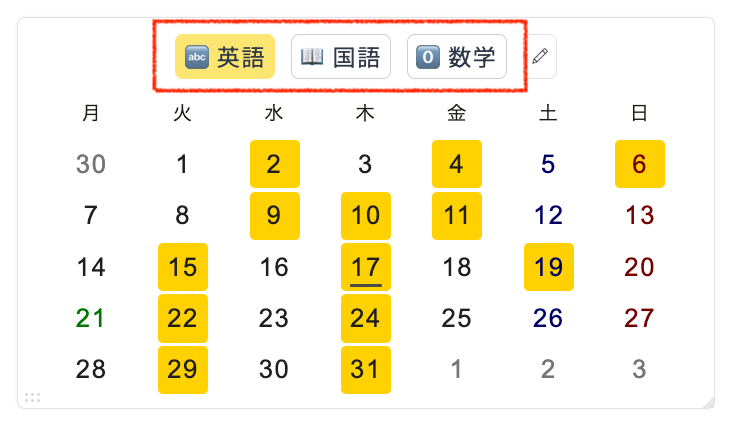
For example, it lets you instantly see which days you studied each subject.
You can also view detailed analysis results by subject, showing exactly how your time was spent.
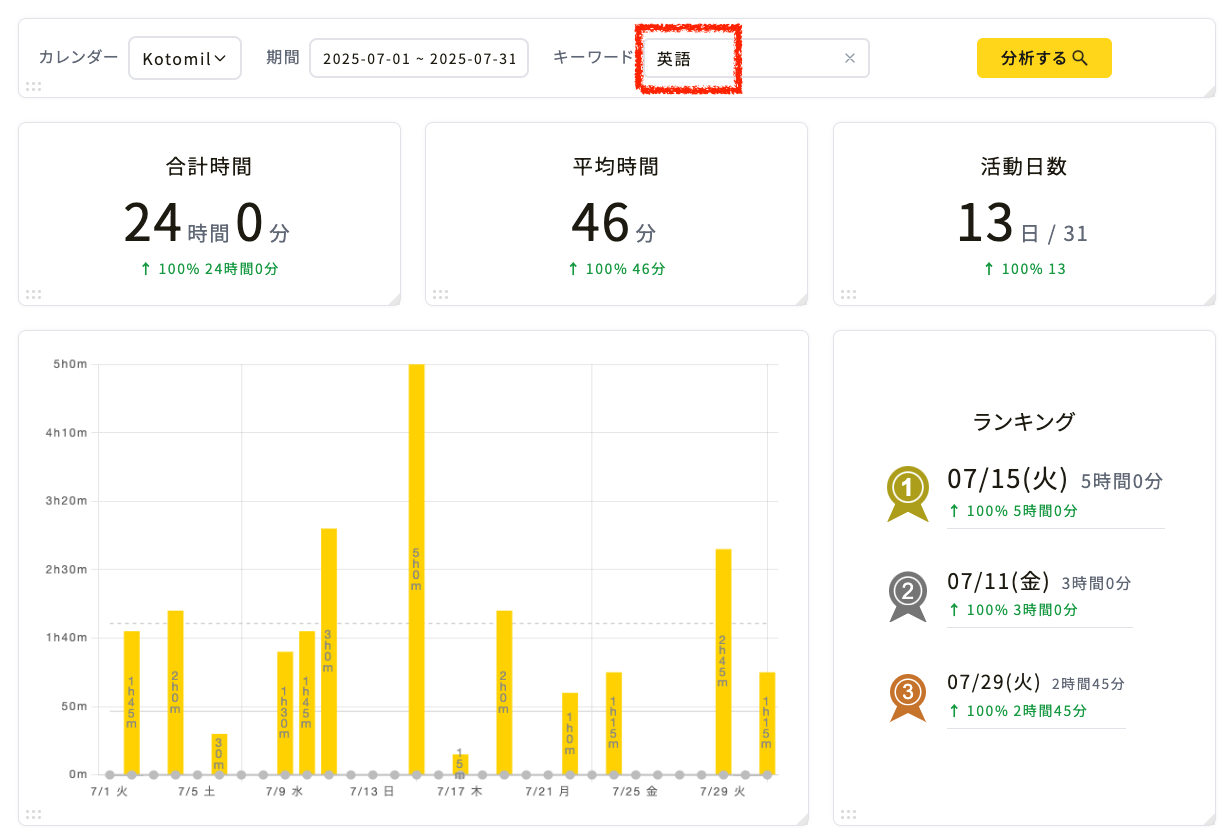
By categorizing your events with keywords like English or Math, Kotomil aggregates study data automatically.
Viewing these charts helps you reflect — “I studied a lot this week!” or “I slacked off that day...” — and better understand your own rhythm.