How to Use Google Calendar as a Study Planner App and Track Study Time
If you want to study more consistently, a calendar can be more useful than a simple to-do list. A to-do list tells you what to study, but a calendar helps you decide when to study and how much time to spend.
You can use Google Calendar as a study planner app by adding study sessions as events, recording actual study time, and reviewing your learning habits later.
Why Use a Calendar for Study Planning?
Study planning often fails when the plan is too vague. "Study English" is easy to ignore, but "Study English vocabulary from 21:00 to 21:30" is much easier to follow.
Using a calendar helps you:
Reserve time for studying before the day gets busy
See whether your study plan is realistic
Track how many hours you studied each subject
Review patterns across a week or month
Balance studying with school, work, rest, and hobbies
This makes Google Calendar a practical study schedule app, especially if you already use it for daily planning.
How to Use Google Calendar as a Study Planner
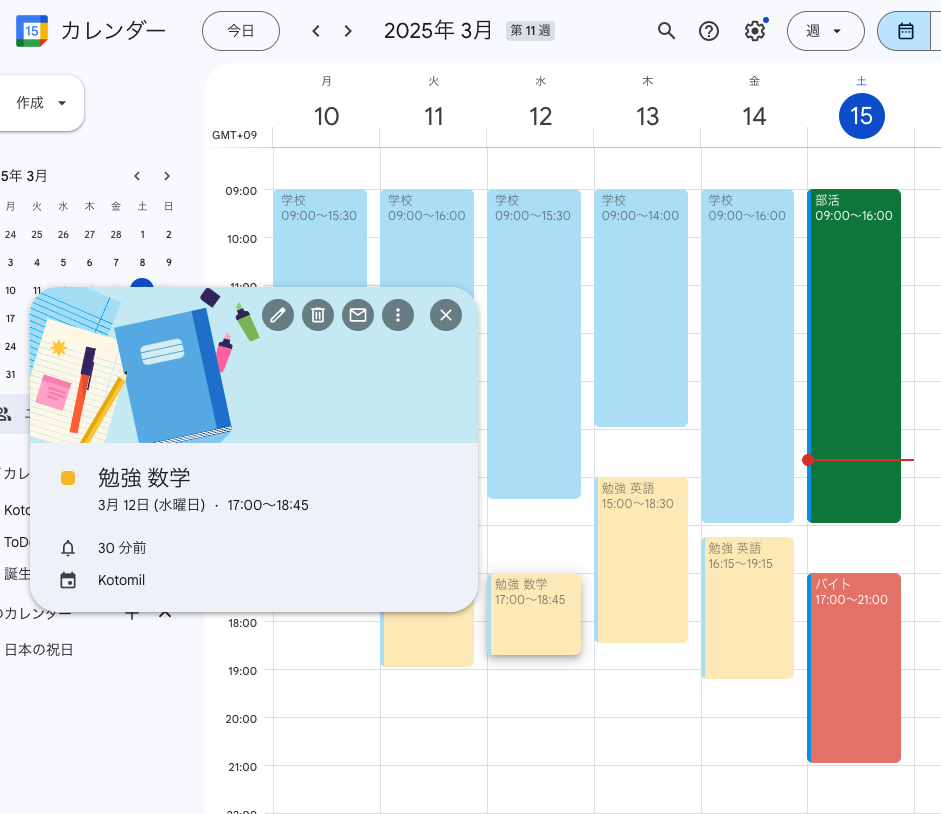
Start by adding study sessions as calendar events. Keep the event names simple and consistent.
For example:
18:00-19:30 Math practice
21:00-21:30 English vocabulary
Saturday 10:00-12:00 History review
Sunday 15:00-16:00 Certification study
Put the subject or goal at the beginning of the event title. Later, you can search or analyze keywords such as Math, English, or Certification.
Record Actual Study Time, Not Just Plans
A study plan becomes more useful when it reflects what actually happened. If you planned to study for 90 minutes but only studied for 45 minutes, adjust the event. If you studied unexpectedly, add a new event.
This creates a real study log inside your calendar. Over time, you can notice patterns such as:
Math sessions are often shorter than planned
Morning study is easier to continue than late-night study
Weekend plans are too crowded
Exam preparation needs more time than expected
These insights help you create a better plan for the next week.
Simple Rules for a Study Calendar
To keep the habit easy, do not make the calendar too complicated. A few naming rules are enough.
Start each event with the subject name
Use colors for subjects or study goals
Record short sessions too
Update the event time if the actual study time changed
Review your calendar once a week
Consistency matters more than detail. "English vocabulary" and "English reading" are easier to analyze than random event names.
Analyze Study Time with Kotomil
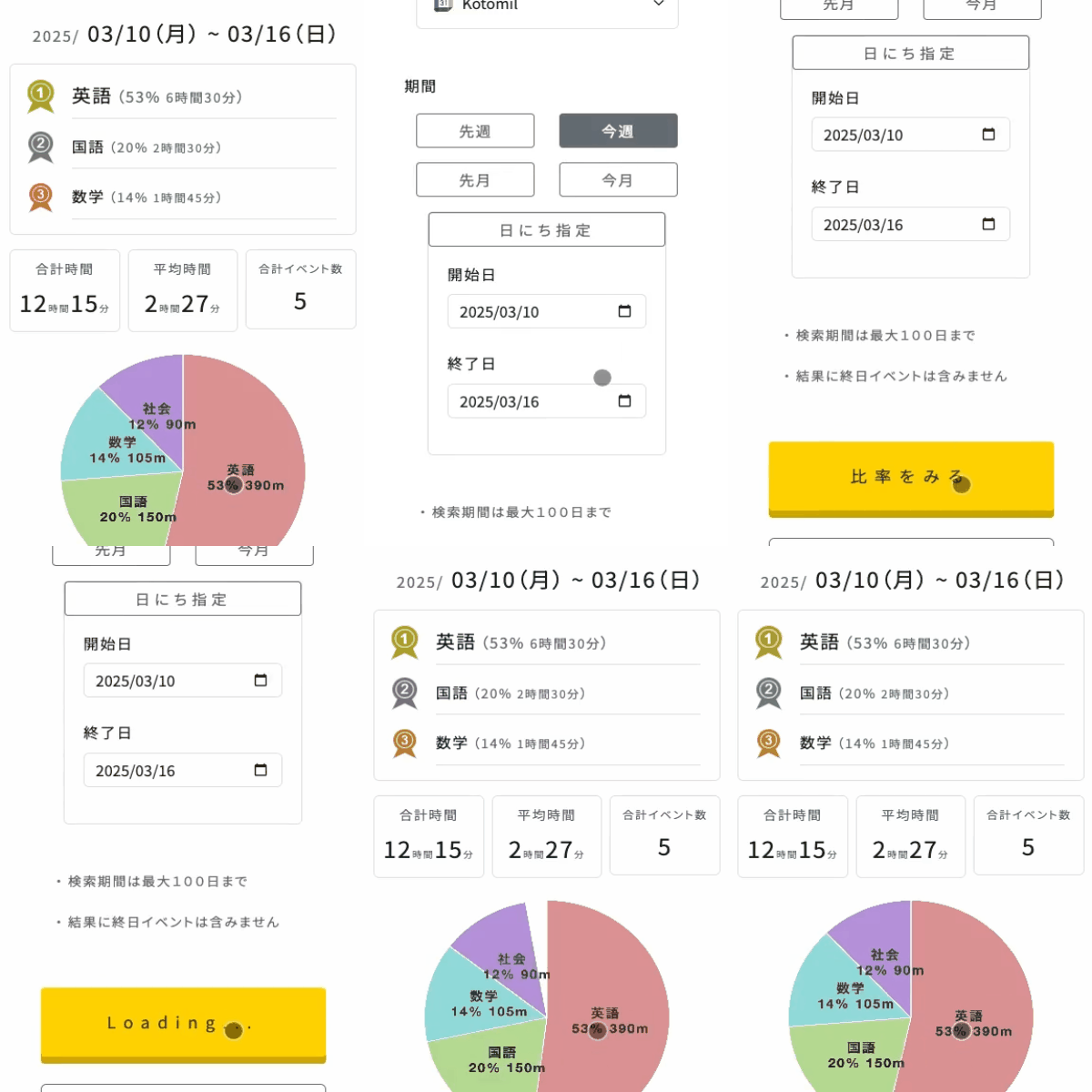
Google Calendar is useful for recording study time, but manually calculating totals can be frustrating. Kotomil connects with your calendar and helps you visualize study time automatically.
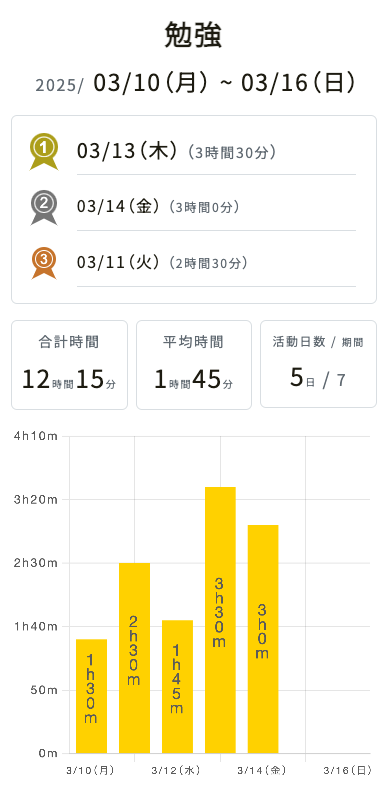
For example, you can filter by a keyword such as Study, Math, or English and see how your study time changes over days or weeks.
This makes it easier to see whether your study habit is growing, dropping, or staying stable.
Analyze Study Time by Subject
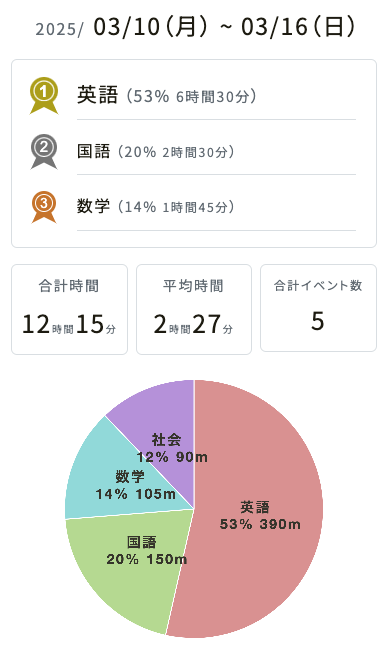
You can also review how much time each subject takes during a week or month.
This helps you answer questions such as:
Am I spending too little time on math?
Is English taking more time than expected?
Did I study consistently this week?
Which subject should I schedule first next week?
When your study time is visible, it becomes easier to adjust your plan instead of relying on memory.
Google Calendar vs. a Dedicated Study App
A dedicated study app can be helpful if you want timers, textbook tracking, or social motivation. Google Calendar is better when you want to manage study time together with the rest of your life.
Use a dedicated study app for detailed learning records or timers
Use Google Calendar for scheduling and time blocking
Use Google Calendar with Kotomil for study time analysis
If you already use Google Calendar, you can start without installing another study planner app. Add your next study session as an event, then review the week after a few days.
Summary
Google Calendar can work well as a study planner app when you use it to schedule and record actual study time. Add subjects to event names, keep your naming consistent, and review your calendar regularly.
With Kotomil, you can go further by turning your calendar events into charts. That helps you understand your study habits, balance subjects, and build a more realistic study plan.
See where your time goes from your calendar at a glance📊🔍
With Kotomil, just connect Google Calendar to see how much time you spend on each area in charts and lists. It also helps you find what is making you busy and where your time is becoming unbalanced.