Time Management for Sole Proprietors: Visualize Core Work, Sales, Accounting, and Admin Time
When you work as a sole proprietor, doing the work itself is only one part of running the business.
In addition to delivering your service or product, you also handle sales, inquiries, estimates, invoices, accounting, payment checks, tax preparation, customer communication, and sometimes social media or blog publishing.
Because of this, it is easy to feel busy every day but still end up with problems like these:
You spend less time on core revenue work than expected
You postpone sales and outreach, which weakens future leads
You leave accounting and invoicing until the end of the month
You cannot separate revenue-generating time from maintenance work
You are busy every day, but you do not know what to improve first
Time management for sole proprietors is not just about increasing work hours. The important point is to understand the balance between core work, sales, accounting, and admin tasks, then adjust your schedule toward work that supports revenue and stable business operations.
This guide explains how sole proprietors can record daily work in Google Calendar and visualize time allocation with Kotomil.
Why Sole Proprietors Need Time Management
A sole proprietor is often the service provider, salesperson, accountant, administrator, and business owner at the same time.
Tasks that would be divided among different people in a company often need to be handled by one person or a very small team. That makes your time allocation directly connected to revenue, delivery quality, and business stability.
For example, if you focus only on client delivery or production work, sales and outreach may stop. A few weeks or months later, you may not have enough new work. On the other hand, if sales and admin tasks take too much time, delivery work can be delayed or compressed.
When you manage your time clearly, it becomes easier to answer questions like:
Did I spend enough time on core revenue work this month?
Is my sales and outreach time too low?
Are accounting and admin tasks concentrated on specific days?
Is the balance between revenue-generating work and support work healthy?
Does the actual work time match my pricing and estimates?
Reviewing your schedule with time data instead of vague impressions makes it easier to understand what is really creating busyness.
Start by Dividing Your Time into Four Categories
When you start time management as a sole proprietor, do not make the categories too detailed at first. If the system is too complex, recording time becomes difficult to maintain.
A practical starting point is to divide work into four categories:
Core work: production, development, consultation, treatment, delivery, service work
Sales: proposals, estimates, meetings, social media, blog posts, follow-ups
Even these four categories can show the balance between time that creates revenue, time that creates future revenue, and time that keeps the business running.
For sole proprietors, accounting and admin tasks are often postponed. However, the more they accumulate, the more they interrupt focused core work. It is better to reserve time for them in advance instead of treating them as leftover tasks.
Record Work Time in Google Calendar
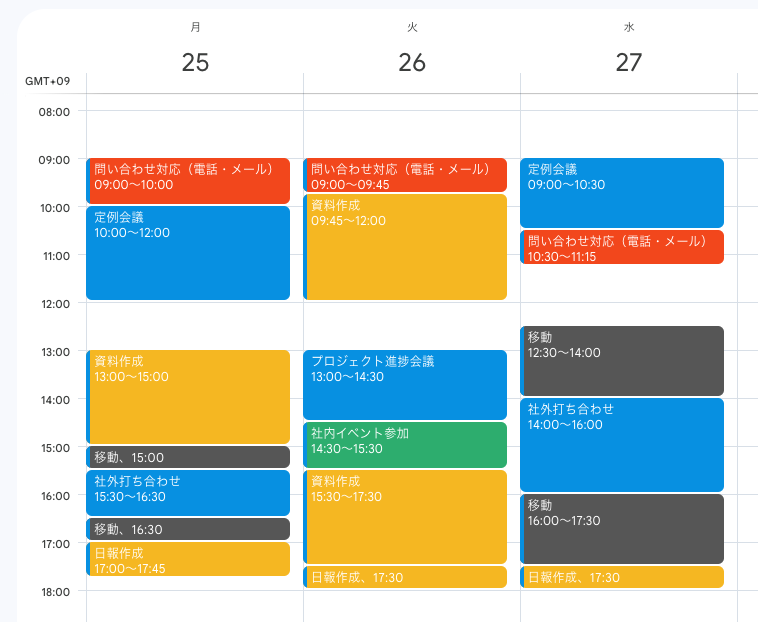
To keep time tracking realistic, use a tool you already open every day. For many sole proprietors, Google Calendar is a simple place to record both planned work and actual work blocks.
Name your calendar events so the category and task are clear:
Core work Client A production
Core work Client B consulting
Sales proposal writing
Sales social media post
Accounting invoice preparation
Accounting payment check
Admin email replies
Admin scheduling
The key is to put shared keywords such as Core work, Sales, Accounting, and Admin at the beginning of event names. This makes it easier to aggregate your calendar later.
You do not need to record everything perfectly from the beginning. Start by tracking one week of actual work time in Google Calendar. If your day changes from the original plan, edit the event afterward so the record reflects what really happened.
Review Time Allocation That Leads to Revenue
The important question is not simply whether you were busy. It is whether your time allocation supported the business you want to build.
For example, even if you worked 40 hours in a week, the meaning changes depending on the breakdown:
A week with a lot of core work may support current revenue, but if sales time is too low, future work may become unstable. A week with a lot of sales can be necessary for future revenue, but it may also delay current delivery work.
If accounting or admin takes too much time, it may be a sign that templates, tools, batching, or outsourcing should be considered.
By reviewing time allocation, you can stop thinking only in terms of working harder and start deciding which time should increase and which time should decrease.
Visualize Time Allocation with Kotomil
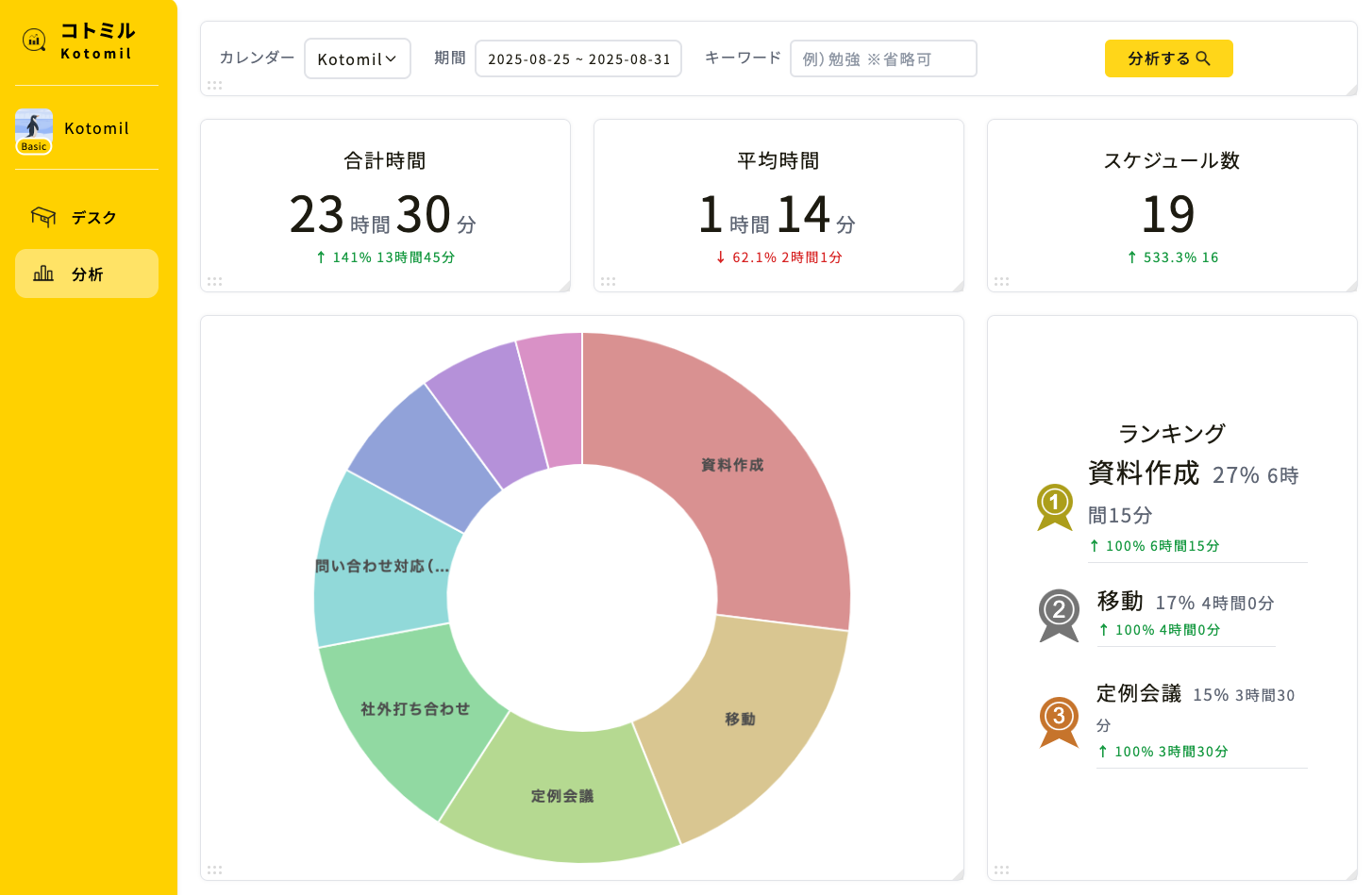
Once you record work blocks in Google Calendar, Kotomil can aggregate those events and show your time allocation in charts.
Kotomil is a calendar analytics app that visualizes how you spend time based on events from Google Calendar or Outlook Calendar.
For example, if your Google Calendar events include keywords like Core work, Sales, Accounting, and Admin, it becomes easier to check how much time each category consumed.
How many hours did you spend on core work this week?
Did sales activity time decrease compared with last month?
Is accounting work concentrated at the end of the month?
Is admin work increasing too much?
What percentage of your week was revenue-generating time?
Patterns that are hard to notice by scanning a calendar manually become much easier to understand when they are shown as charts.
Review Core Work, Sales, and Accounting by Keyword
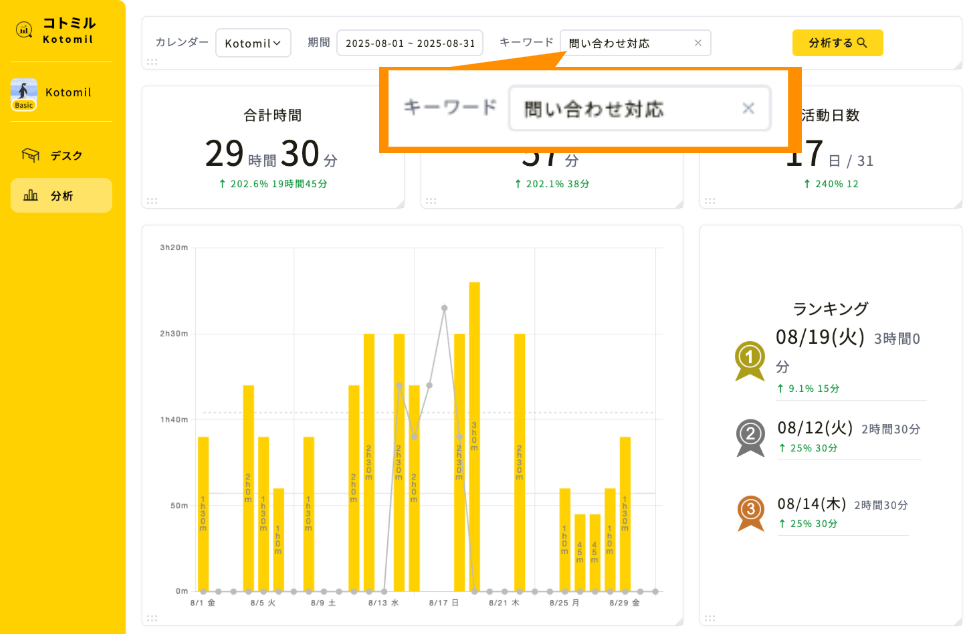
Kotomil can also aggregate specific activities based on keywords included in your calendar event names.
For sole proprietors, keyword-based review is useful for categories like these:
Core work: review time spent on direct service or production work
Sales: review time spent creating future projects and leads
Accounting: review time spent on invoices, payments, and bookkeeping
Admin: review time spent on email, scheduling, and document work
Client or project name: review actual work hours and effective hourly rate
If sales time stays low for several weeks, next month's orders may become unstable. If accounting time is always concentrated at the end of the month, reserving one weekly accounting block may reduce the burden.
Looking at time trends helps you adjust before small problems become larger business issues.
What to Review at the End of Each Month
Time management for sole proprietors is not only for filling the daily schedule. It becomes valuable when you review the month and use the results for the next month's business operations.
At the end of each month, check:
Total time spent on core work
Time spent on sales and outreach
Time spent on accounting and admin tasks
Balance between project revenue and actual work hours
Tasks that took longer than the estimate
Core work, sales, and accounting time to reserve first next month
Even if monthly revenue is the same, profitability can change greatly depending on how much time was required to earn it. It is important to look not only at revenue, but also at how much time was used to create that revenue.
Sales and outreach time may not turn into revenue immediately. However, if you keep tracking it, you can later review how weekly or monthly sales activity relates to future projects.
Use Time Data to Reduce Accounting and Admin Work
Accounting and admin tasks are unavoidable for sole proprietors. But when they consume too much time, they reduce the time available for core work and sales.
When you record your time, you may find improvement opportunities such as:
Invoice preparation takes too long every time
Receipt organization is postponed and concentrated at month-end
Scheduling and email replies interrupt focused work throughout the day
Repeated explanations or document creation happen for every client
These tasks may be reduced through templates, calendar booking tools, accounting software, batching, or regular admin time blocks.
When you know how many hours per month are spent on admin work, it becomes easier to decide whether a tool, template, or outsourced support is worth using.
Summary: Time Management Helps Sole Proprietors Improve Revenue Allocation
For sole proprietors, time management should include not only core work, but also sales, accounting, and admin tasks.
If you record work blocks in Google Calendar with keywords such as Core work, Sales, Accounting, and Admin, you can review your time allocation later.
With Kotomil, you can aggregate Google Calendar events and visualize how much time goes into core work, sales, accounting, and admin work.
Instead of judging busyness by feeling, reviewing time allocation with data helps you increase revenue-focused time and reduce unnecessary administrative burden.
Start by recording one week of work in Google Calendar, then use Kotomil to review the balance between core work, sales, accounting, and admin tasks.
See where your time goes from your calendar at a glance📊🔍
With Kotomil, just connect Google Calendar to see how much time you spend on each area in charts and lists. It also helps you find what is making you busy and where your time is becoming unbalanced.