Why Am I Bad at Managing Time? 5 Causes and Practical Fixes
If you are busy all day but the things that matter are not moving forward, the problem is not necessarily discipline. Often, you are making plans without a clear record of how your time is actually being used.
This guide helps you identify the pattern behind poor time management and make a practical change. Do not aim for a perfect schedule. Start by seeing your real time use, then adjust one thing at a time.
First, is there too little time—or too little visibility?
When time feels scarce, it is tempting to pack more into the calendar. But meetings, commuting, messages, task switching, and recovery time may already be consuming more of the day than you realize.
For three days, record only what you did and roughly how long it took. Use broad labels such as work, study, chores, travel, rest, and communication. You do not need to track every minute. A simple record is enough to reveal where an adjustment may help.
5 reasons time management can feel difficult
1. Your priorities are not decided
When you work through tasks in the order they appear, messages and small requests can crowd out important work. Before the day starts, choose one to three things that must move forward and reserve time for them first.
2. Your schedule has no buffer
An empty calendar slot is not automatically usable work time. Switching context, travel, preparation, and unexpected requests all need room. Plan only about 70% of your available work time and leave the rest as a buffer.
3. You underestimate how long work takes
A task that looks like 30 minutes can take an hour once checking, revisions, and follow-up are included. Keep a record of actual duration, then use that evidence when planning similar work next time.
4. A task is too large to start
“Finish the proposal” is hard to begin because it hides many decisions. Reduce it to a first action, such as “collect three references” or “write the outline.” Put that small action on the calendar rather than keeping it as a vague intention.
5. You do not review the gap between plan and reality
If you repeat the same plan without checking why it changed, busyness is all that remains. Once a week, compare what you expected with what happened. Notice both what took longer and the conditions that helped you make progress.
3 practical improvements to start today
1. Limit today’s priorities to three
Before making a long to-do list, choose up to three valuable outcomes for the day. Include at least one task that supports a longer-term goal, not only urgent communication.
2. Block time for the work itself
Put a time block in your calendar, not just a task name. “10:00–10:40: draft the proposal outline” is easier to start than “work on proposal.”
3. Update the event when work ends
If a task took more or less time than expected, adjust the event to reflect reality. Keep the imperfect days in the record. They are the information that makes future estimates better.
Use one week of records to find an improvement
After one week, review only these three questions:
What used more time than expected? Meetings, communication, travel, or a particular task?
What was repeatedly postponed? Focus work, learning, exercise, rest, or something else?
What conditions helped? A certain day, time of day, place, or length of time block?
Choose one change for the next week. Examples: reserve 40 minutes of focus time in the morning, leave 15 minutes after recurring meetings, or move a difficult task into its smallest first step.
Visualize your time use with Kotomil
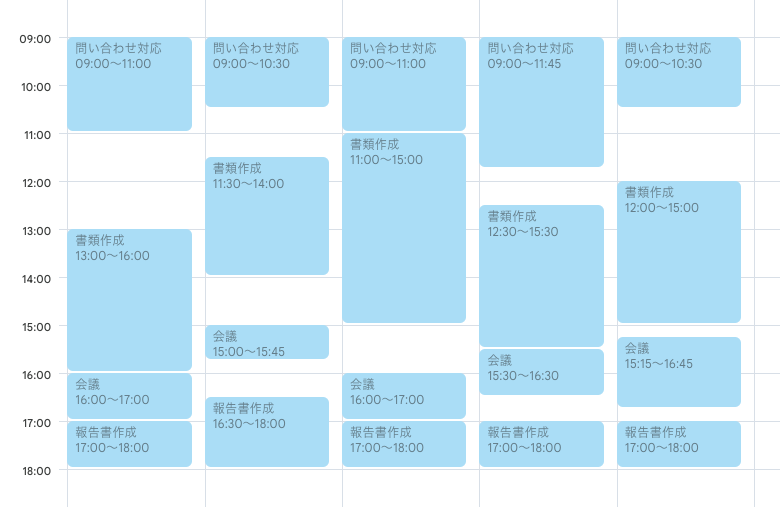
If you record plans and actual work in Google Calendar or Outlook Calendar, Kotomil can help you review the balance of your time. Consistent event words such as “Meeting,” “Focus,” “Study,” and “Exercise” make activities easier to compare.
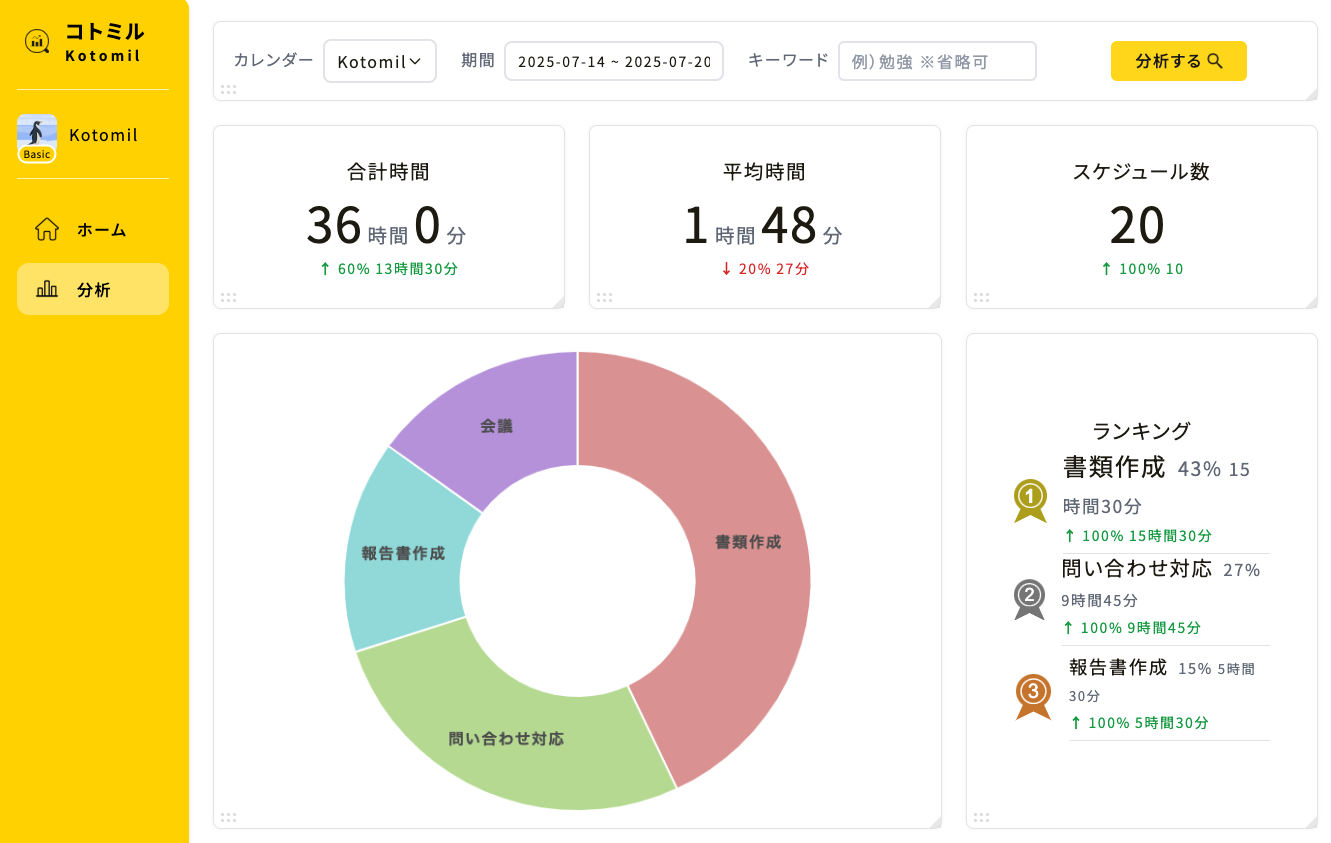
Review a selected period to see how time was distributed. You may feel that work took over the week, but the data can show whether meetings, communication, or a specific project were the larger cause.
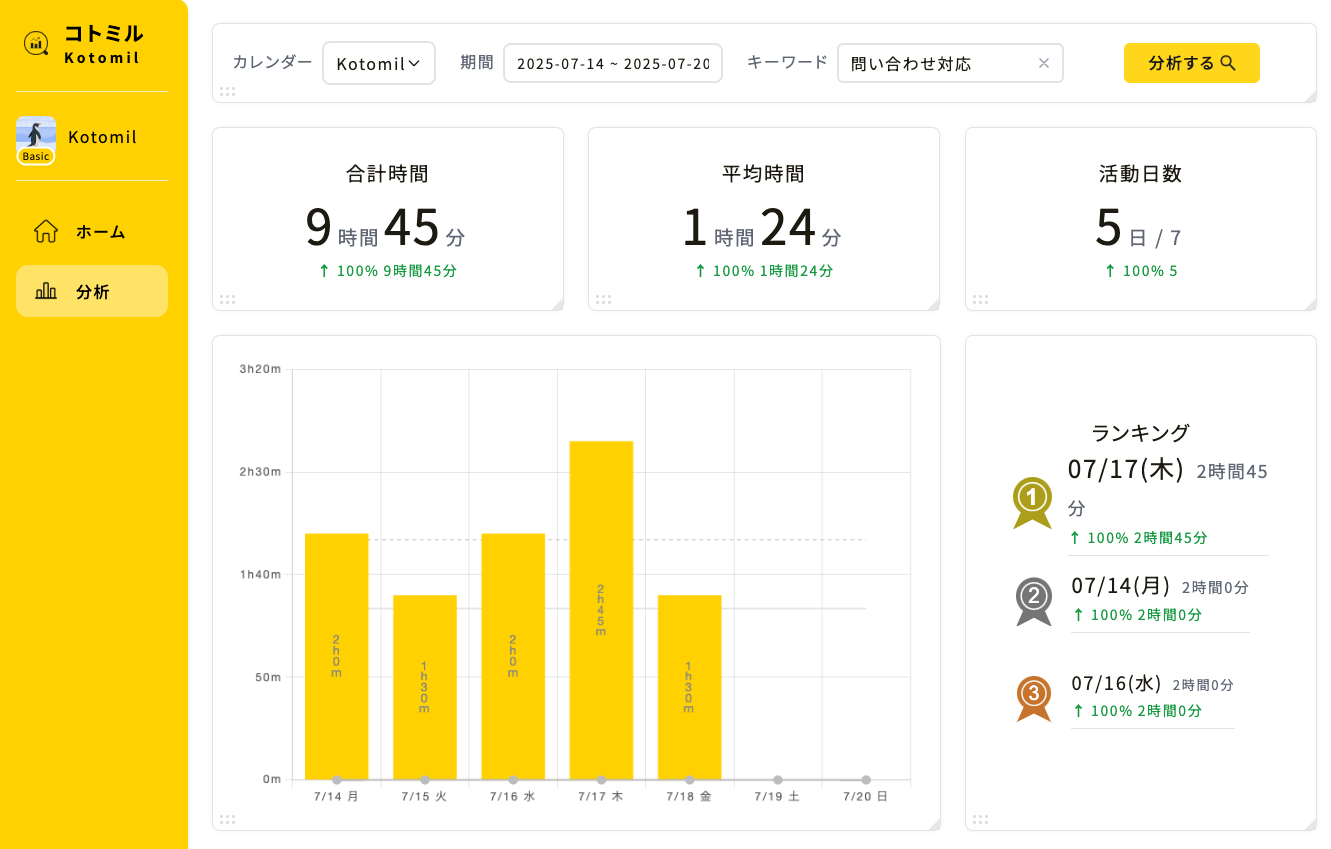
You can also follow a keyword over time to check whether the activity you want to improve is increasing, decreasing, or simply moving around the week.
No. A calendar is a plan and a record, not a scorecard. The useful part is noticing the difference between what you planned and what really happened.
What if I have too many tasks for the week?
Use your record to estimate the time you actually have, then decide what can wait, be delegated, or be made smaller. Better time management cannot create more hours, but it can make trade-offs visible.
How long does it take to see a pattern?
Three days can reveal an immediate problem; one to four weeks usually gives a more reliable pattern. Keep the categories simple enough that you can maintain them.
Improve time management by recording and adjusting
Being bad at managing time is rarely a fixed trait. Start by making your time visible, identify the pattern that affects you most, and test one schedule change. Repeating that small cycle turns time management from a feeling of pressure into a skill you can improve.
See where your time goes from your calendar at a glance📊🔍
With Kotomil, just connect Google Calendar to see how much time you spend on each area in charts and lists. It also helps you find what is making you busy and where your time is becoming unbalanced.