Study Tracking Made Simple: Visualize Your Study Time and Stay Motivated
Staying consistent with studying is difficult when you can’t clearly see your progress.
Many students spend hours at their desk wondering:
“Am I actually improving?” “Did I study enough this week?” “Why does it feel like I’m not making progress?”
This is exactly why study tracking is so powerful.
When you track your study time and study habits, your daily effort becomes visible. Instead of relying on memory or feelings, you can clearly see how your study sessions accumulate over time.
By visualizing your study progress, you can:
✅ Stay motivated by seeing your effort grow day by day ✅ Discover which subjects take most of your time ✅ Build more consistent study habits ✅ Understand your learning patterns and improve weak areas
In this article, you’ll learn:
How to track study time using Google Calendar
How to analyze your study progress with Kotomil
How study tracking can help you stay consistent and motivated
And how the same method can be used for work, hobbies, wellness, and everyday life
1. How to Track Study Time with Google Calendar 📝
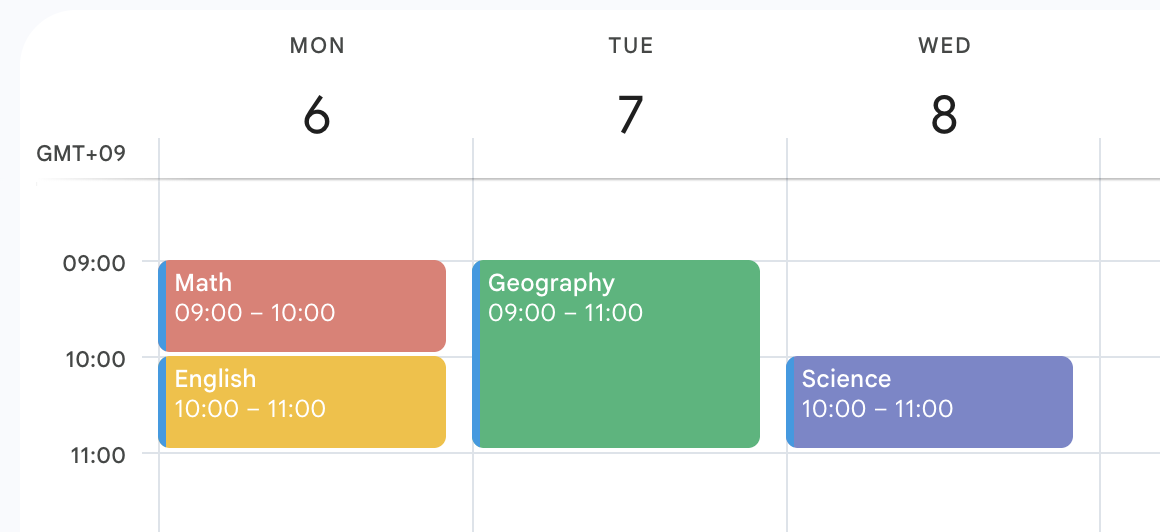
The easiest way to start study tracking is by recording your study sessions in Google Calendar or another calendar app.
For example, you can create events such as:
Math
English
Geography
Science
This makes it much easier to review your study habits later.
You can also create more detailed labels like:
English Grammar
Math I
Vocabulary Practice
However, trying to track everything perfectly from the beginning can become exhausting.
The most important thing is consistency.
Start simple by tracking only major subjects first.
Most calendar apps also allow you to assign colors to events. For example:
Yellow for Math
Blue for English
Green for Science
This makes your study tracking easier to understand at a glance.
2. Analyze Your Study Tracking Data with Kotomil 📊
Once you start tracking your study sessions, connect your Google Calendar to Kotomil.
Kotomil automatically turns your calendar data into study analytics, charts, and visual insights.
Unlike traditional study tracking apps, Kotomil works directly with your existing calendar workflow — so you can track study habits naturally without using timers or manually entering statistics.
2-1. Analyze Study Progress by Time Period
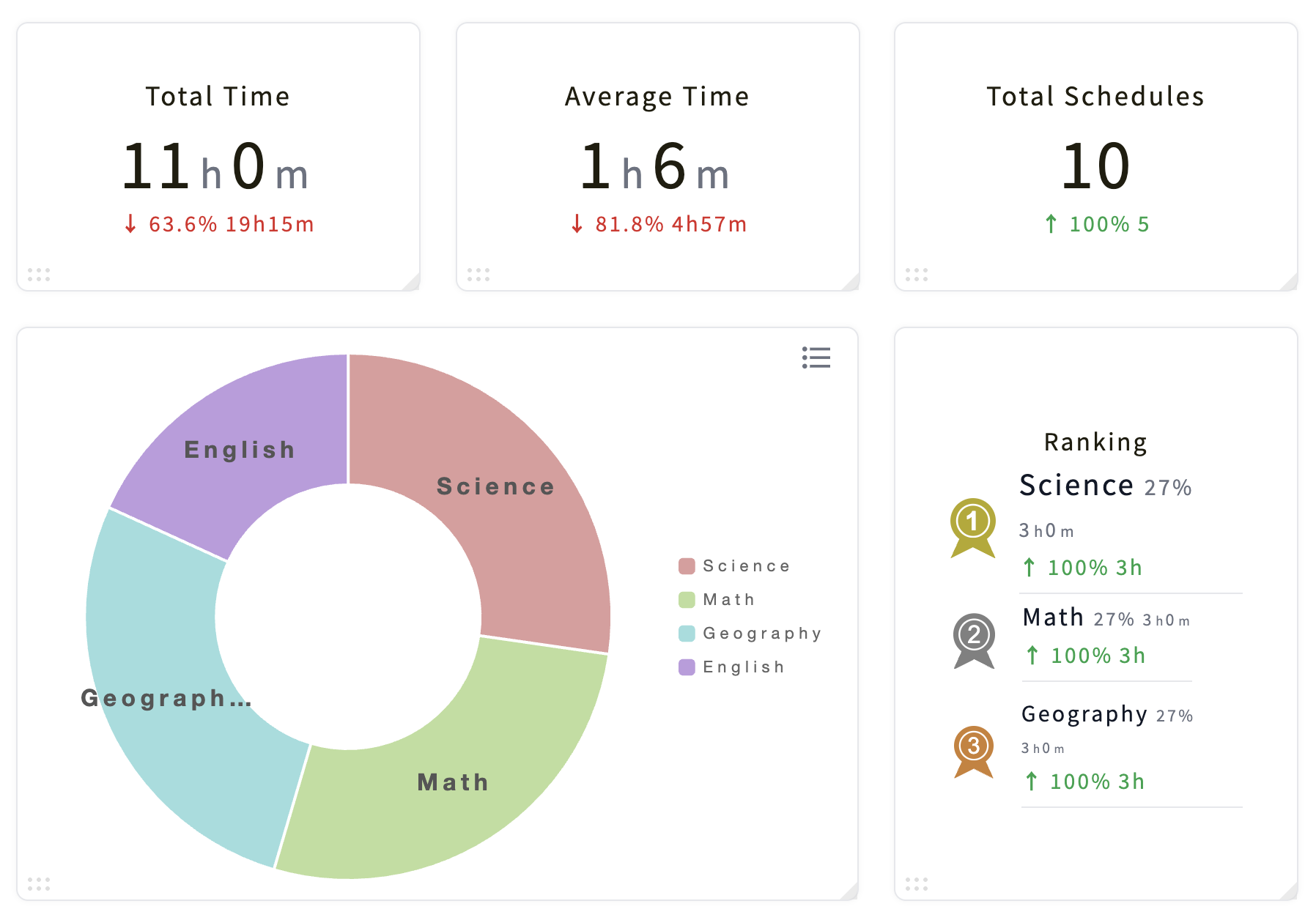
For example, when analyzing “This Week,” you might see results like this:
You can instantly understand:
Which subject took most of your study time
How balanced your study schedule is
Whether your study habits are improving over time
For example, you might realize:
“I spent too much time on Geography this week. Next week I want to focus more on English.”
Kotomil also helps you track:
Total study time
Average study time
Number of study sessions
Weekly or monthly progress trends
This makes it much easier to stay aware of your learning consistency and avoid uneven study habits.
2-2. Track Study Trends by Keyword
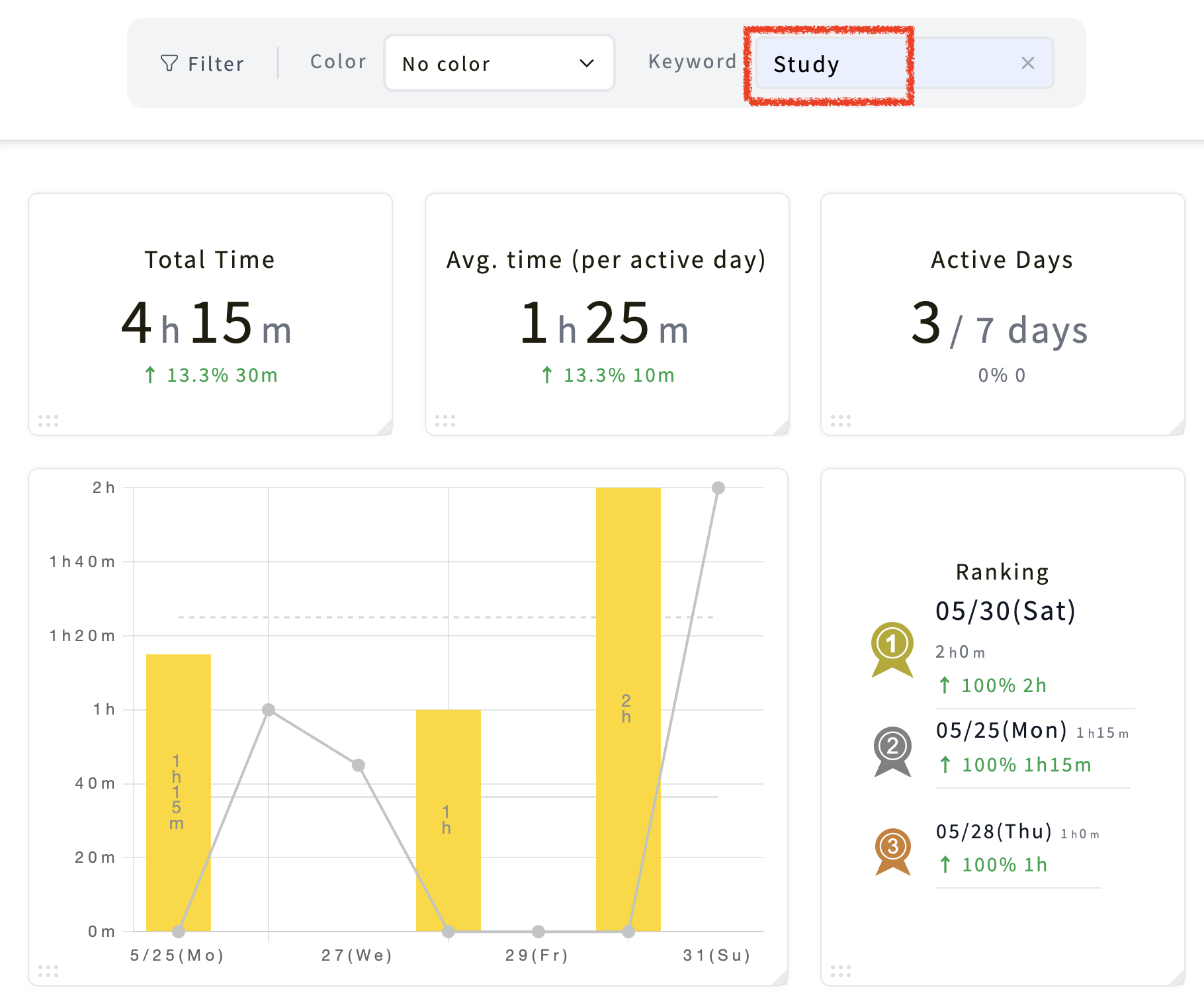
If you create calendar events such as:
Study English
Study Math
Study History
you can later search keywords like “Study” in Kotomil to analyze your study progress in charts and graphs.
This allows you to visually track your study habits over time.
For example:
“I studied consistently this week.”
“My study time dropped in the middle of the month.”
“I’ve been spending less time on reading lately.”
Because your study tracking data becomes visible, it’s easier to reflect on your habits and improve your routine.
3. Study Tracking Is Useful Beyond Studying 🔍
The same Google Calendar + Kotomil workflow can also be used to track and analyze many other areas of life.
1. Part-Time Jobs
Track work shifts
Manage weekly schedules
Monitor payday schedules
2. Clubs & Extracurricular Activities
Practice sessions
Club meetings
Competitions and events
3. Career & Job Hunting
Internship schedules
Interviews
Company events and seminars
4. Personal Life
Trips and outings
Birthdays and events
Movies, hobbies, and social activities
This helps you understand the balance between studying and personal life.
5. Health & Wellness
Workout tracking
Running or gym sessions
Sleep schedules
Health checkups
Visualizing these habits can help you maintain a healthier and more balanced lifestyle.
6. Volunteering & Self Growth
Community activities
Workshops and seminars
Volunteer work
This can help you reflect on how you spend your time and where your energy goes.
4. Why Study Tracking Helps You Stay Consistent ✨
One of the biggest reasons people lose motivation is that progress feels invisible.
Study tracking changes that.
When you can clearly see your effort, even small daily study sessions start to feel meaningful.
Instead of thinking:
“I didn’t do enough.”
you begin to notice:
“I studied more consistently this week.”
“My habits are improving.”
“I’m slowly making progress.”
This awareness helps you stay motivated, reduce wasted time, and build better study habits over the long term.
By tracking and analyzing your study time with Kotomil, you can better understand your learning patterns and turn studying into a more sustainable habit.
See where your time goes from your calendar at a glance📊🔍
With Kotomil, just connect Google Calendar to see how much time you spend on each area in charts and lists. It also helps you find what is making you busy and where your time is becoming unbalanced.