If Google Calendar Time Insights is not showing, check five things: use a work or school account, open Calendar on a computer, ask whether your administrator disabled the feature, view the primary calendar, and confirm that your events qualify as meetings. A personal Gmail account does not provide the same Time Insights experience described in Google’s work-and-school documentation.
Quick diagnosis: why Time Insights is missing
| What to check | Expected condition | What to do if it fails |
|---|---|---|
| Account | Work or school Google account | Switch to the correct account or use another analysis method |
| Device | Google Calendar open on a computer | Check calendar.google.com in a desktop browser |
| Organization | Administrator allows Time Insights | Ask your Workspace administrator |
| Calendar | Primary calendar or a calendar you can manage | Switch calendars and verify permissions |
| Events | Meetings satisfy Google’s counting rules | Check RSVP, guests, Busy status, and duration |
1. Check whether you are using a work or school account
Google’s official Time Insights guide describes the feature for Google Calendar on work or school accounts. If you have several Google accounts open, confirm the account shown in the upper-right corner of Calendar.
If you are using a personal Gmail account, repeatedly refreshing the page or reinstalling the mobile app will not address the account requirement. Use Calendar search, export your events, or connect a calendar analytics tool instead.
2. Open Google Calendar on a computer
Google states that Time Insights can only be viewed on a computer. Open Google Calendar on the web, then look for More insights on the left side.
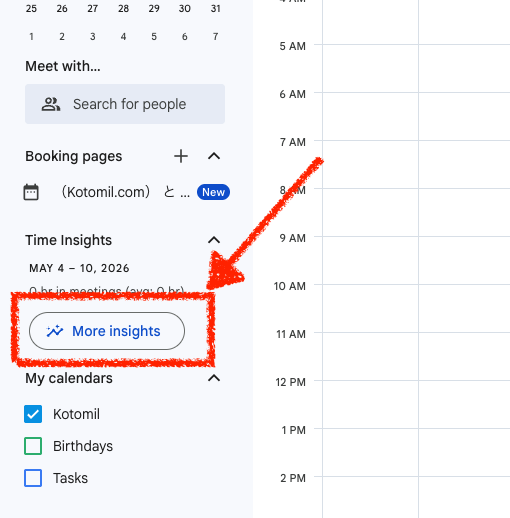
If the left panel is collapsed, expand it before deciding that the option is unavailable.
3. Ask whether your administrator disabled Time Insights
A Workspace administrator can turn Time Insights off for an organization. If the feature is absent for multiple users in the same company or school, contact the administrator rather than troubleshooting each browser separately.
When only your account is affected, sign out of other Google accounts, reopen Calendar with the work or school account, and compare the result with a colleague who uses the same organization.
4. Check the primary calendar and permissions
Google says Time Insights information is available on the primary calendar. The primary calendar owner can view it, and people with permission to make changes and manage sharing can also view it for calendars they manage.
If you are looking at a secondary or shared calendar, switch back to your primary calendar. For a calendar owned by someone else, confirm that your access level includes managing sharing settings.
5. Check whether your meetings count toward Time Insights
The panel can appear while showing less meeting time than expected. According to Google, an event counts as a Time Insights meeting when all of these conditions apply:
- You responded Yes
- The event has at least one other guest
- The event is marked Busy
- The event is less than eight hours long
Solo events do not count as meetings, and events you did not accept are excluded. Time Insights therefore may not reflect focused work, study, exercise, or personal routines even when those activities fill your calendar.
What Time Insights can show
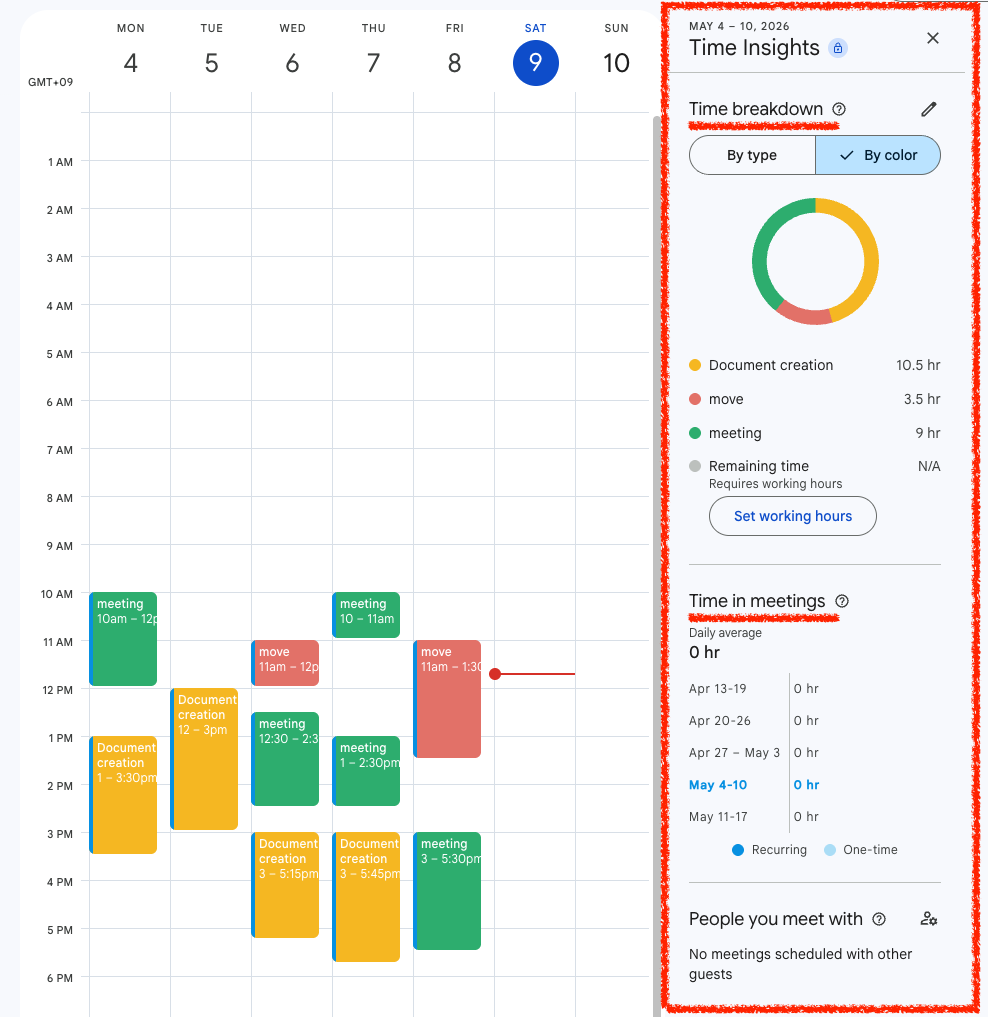
Depending on the calendar data and settings, Time Insights can include time breakdown, time in meetings, and people you meet with. It is designed to help review meeting patterns—not to total every kind of calendar event.
This distinction matters when the feature is visible but still does not answer your question. If you want to analyze all calendar activities, start with Google Calendar Analytics: How to Analyze Calendar Data and Time.